

Virtual assistant onboarding checklist for small businesses

Hiring a virtual assistant is one of the best decisions you can make for your business. But without a clear plan, the first two weeks can quietly drain both of your time. A poorly structured virtual assistant onboarding checklist leads to missed tasks, repeated questions, and a VA who feels unsure about what “good” even looks like in your business. The good news is that with the right preparation and a structured onboarding process for virtual assistants, you can get your new remote team member up to speed faster than you think, and set the tone for a long, productive working relationship.
Table of Contents
Essential preparation before your virtual assistant’s first day
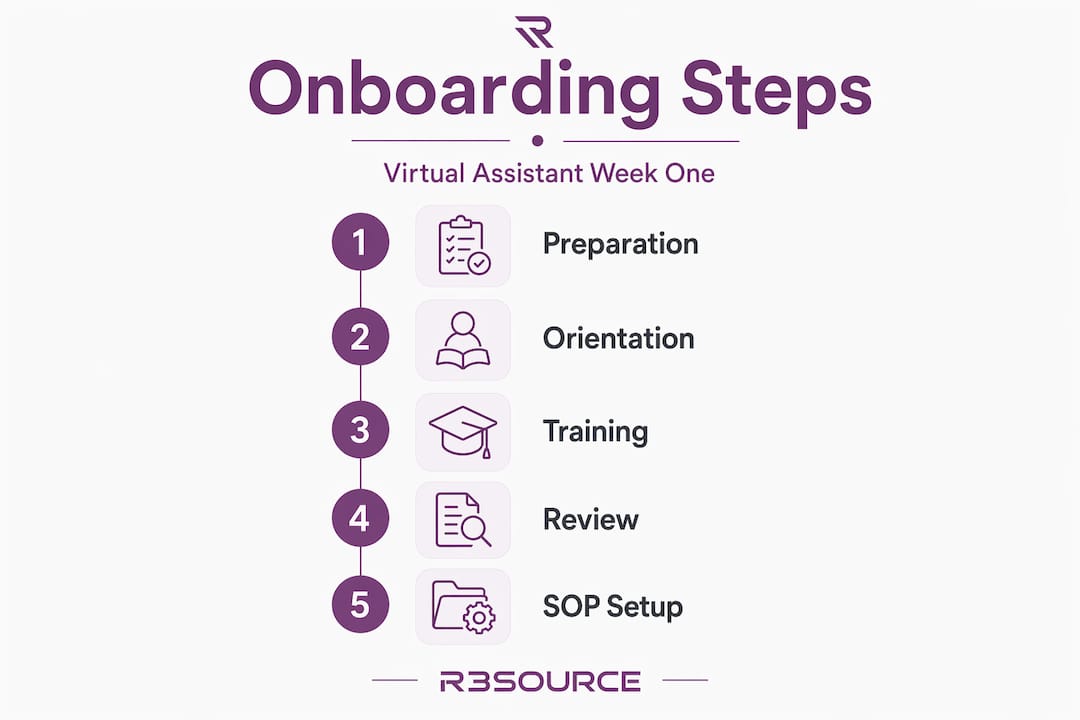
Day one and two: orientation, introductions, and establishing communication norms
Days three to five: task training, independent work, and review
Building and using SOPs to empower your virtual assistant’s independence
Why traditional onboarding methods fail remote virtual assistants and what really works
Streamline your virtual assistant onboarding with R3source expert services
Key Takeaways
Point | Details |
Preparation is critical | Setting up specific tasks, access, and SOP drafts before starting reduces delays and confusion. |
Clear communication norms | Define platforms, response times, and feedback preferences early to prevent misunderstandings. |
Progressive task assignment | Start with simple tasks, then assign real work to build confidence and independence. |
SOPs empower independence | Well-crafted SOPs transfer decision-making power and reduce need for constant guidance. |
Structured 30-day roadmap | A planned onboarding process with check-ins and KPIs ensures steady progress and accountability. |
Essential preparation before your virtual assistant’s first day
The work you do before your VA logs in for the first time determines how smooth the first week will be. Most onboarding problems are not people problems. They are preparation problems.
Preparation before day one includes defining specific tasks, setting up access, and creating a welcome document to reduce wasted time later. That means no vague job descriptions. Instead of writing “help with admin tasks,” write out exactly what that means: responding to inquiry emails within 2 hours, updating the CRM after each client call, and scheduling appointments using Calendly.
Clear access and SOPs prepared before start day prevent onboarding delays and confusion. Set up every tool your VA will need before day one. That includes project management platforms, email accounts, communication apps, and any software specific to their role. Use a password manager like 1Password or LastPass to share credentials without exposing sensitive data.
SOPs transfer standards and decision-making frameworks, which reduce constant clarification. A Standard Operating Procedure (SOP) is simply a written set of step-by-step instructions for a recurring task. Even a rough draft SOP beats no SOP at all. Cover your top three to five recurring tasks before the VA’s first day, and refine them as you go.
Here is a quick pre-onboarding checklist you can start with:
Define 5 to 10 specific tasks the VA will own
Set up all tool access and test logins before day one
Create a welcome document covering your company overview, communication preferences, and key contacts
Draft SOPs for your top recurring tasks
Assign a password manager for secure credential sharing
Prepare a short video or written overview of your business goals and working style
Pre-onboarding preparation overview
Task | Why it matters | Suggested tool |
Define specific tasks | Prevents scope confusion | Google Docs, Notion |
Set up tool access | Eliminates delays on day one | 1Password, LastPass |
Create welcome document | Sets culture and communication norms | Google Docs, Notion |
Draft SOPs | Reduces clarification questions | Loom, Google Docs |
Prepare credentials | Protects sensitive information | 1Password, Bitwarden |
Pro Tip: Record a 5-minute Loom video walking through your business and what success looks like in the role. It gives your VA context that no written document can fully replace, and they can replay it as many times as needed.
Understanding what virtual admin support actually covers will also help you define those initial tasks more clearly before day one.
With your preparation complete, you can now focus on welcoming your VA on their first day.
Day one and two: orientation, introductions, and establishing communication norms
First impressions matter in remote work, maybe more than in an office. Your VA cannot read the room, pick up on your tone in the hallway, or absorb culture through proximity. You have to be intentional about it.
A welcome call and guided tool walkthrough create a vital human connection and prevent confusion with new platforms. Schedule a 30 to 45-minute welcome video call on day one. Keep it warm and personal. Share who you are, what the business does, and why this role matters. Then walk through the tools they will use, one at a time, using screen sharing.
Remote onboarding requires precision using written steps, videos, and clear escalation rules to replace what proximity provides in an office. If you cannot do a live walkthrough, record it using Loom or a similar screen recording tool and share it before they start.
Here is what to cover in your first two days:
Welcome call: Introduce yourself, the business, and the team (if applicable).
Tool walkthrough: Walk through the project management system, communication apps, and task tracking tools.
Assign a starter task: Give a low-stakes, clearly defined task to build early confidence.
Communication norms document: Share which platform is used for what (urgent messages, general updates, formal feedback).
Set response time expectations: Define how quickly you expect replies and update reports.
Clarify feedback preferences: Let your VA know how and when you give feedback.
Defining communication channels early prevents misunderstandings and slowdowns that can derail the entire first month. For example, use Slack for quick messages, email for formal updates, and a weekly Zoom check-in for feedback. Write it down. Share it. Revisit it.
That first low-stakes task is important. It gives your VA a chance to ask questions in a safe context, and it gives you a first look at how they communicate and handle instructions. This connects directly to building reliable communication habits that will sustain the relationship long-term.
Communication setup checklist for days one and two:
Send welcome message before their first day
Confirm tool access is working
Schedule welcome video call
Share communication norms document
Assign one simple starter task with clear instructions
Confirm preferred working hours and overlap windows
Pro Tip: Send your VA a brief written summary after your welcome call. It shows professionalism, reinforces expectations, and gives them a reference document to return to throughout the first week.
Once communication norms are set, your VA can start diving into more substantial tasks confidently.
Days three to five: task training, independent work, and review
By day three, it is time to move from orientation to execution. Your VA should have a good sense of the tools, the communication norms, and your working style. Now you introduce real work.

Assigning real tasks early and checking in prevents misunderstandings and helps build independence. Assign two to three tasks that represent a typical week in the role. These should not be the most complex tasks in your business, but they should be real, meaningful work that reflects what the VA will do regularly.
Provide context alongside each task. Share templates, past examples, and quality benchmarks so your VA knows what “done well” looks like. Effective SOPs include escalation guidelines and quality checklists helping VAs self-manage rather than constantly seeking approval.
By day four, give your VA some room. Let them work through their tasks independently with a soft deadline and check in only if they reach out first. This tells you a lot. How do they handle uncertainty? Do they escalate the right things? Do they attempt to problem-solve before asking?
On day five, conduct an end-of-week review. Keep it structured and specific. A 30-day onboarding plan with clear KPIs drives continuous improvement, so use this first review to set the tone for ongoing accountability.
Days three to five task progression:
Assign two to three typical tasks with written instructions and examples
Share templates and quality benchmarks for each task
Allow independent work on day four with a soft deadline
Note how the VA handles uncertainty and escalation
Conduct a structured end-of-week review with specific, actionable feedback
Set recurring check-in schedule for the rest of the first 30 days
First week task tracking overview:
Day | Focus area | Goal |
Day 3 | Real task assignment | Introduce regular workload |
Day 4 | Independent work | Assess problem-solving |
Day 5 | Review and feedback | Set performance tone |
Pro Tip: During the day-five review, ask your VA what felt unclear or frustrating. The answers will improve your SOPs immediately and show your VA that their feedback genuinely matters.
This is the foundation for scaling with remote staff over the long term.
With tasks underway and routines set, let’s explore how clear SOPs make this process repeatable and sustainable.
Building and using SOPs to empower your virtual assistant’s independence
An SOP is not a rigid script. Done right, it is a decision-making tool that lets your VA move with confidence, even when you are unavailable. The goal is not compliance. It is capability.
SOPs do more than explain tasks; they provide standards and decision frameworks that promote VA independence. Every strong SOP should include:
Purpose: What does this task accomplish?
Trigger: When should this task be done?
Tools required: What platforms or resources are needed?
Step-by-step instructions: Written clearly, numbered sequentially.
Quality checks: How does the VA know the output is correct?
Escalation path: When and how should they flag an issue?
Combining written SOPs with short Loom videos enhances understanding and reduces guesswork, especially for tasks that involve navigating complex software or judgment calls. A 90-second screen recording can save 20 minutes of back-and-forth explanation.
Roll out SOPs gradually over the first 30 days. Do not hand over a 20-page document on day one. Start with the two or three most critical tasks, then add complexity as your VA grows more comfortable.
SOP quality comparison:
SOP type | What it includes | Outcome |
Weak SOP | Vague task description, no examples | Repeated questions, inconsistent output |
Strong SOP | Purpose, steps, quality checks, escalation | Independence, consistent results |
Encouraging ownership through SOP feedback loops improves quality and supports continuous improvement. Ask your VA to flag anything that seems outdated or unclear. Some of the best SOP improvements will come from the person using them daily. That kind of ownership builds a stronger working relationship and better results over time.
Pairing strong SOPs with a remote-first business mindset helps you build systems that do not depend on your constant presence to function.
Why traditional onboarding methods fail remote virtual assistants and what really works
Most business owners do not fail at hiring virtual assistants. They fail at onboarding them. And the reason is almost always the same: they try to replicate what worked in a physical office without accounting for what remote work actually demands.
In an office, a new team member absorbs information passively. They overhear conversations, observe how problems get solved, and ask quick questions throughout the day. That informal learning channel does not exist remotely. Remote onboarding represents a loss of informal context, making precision and structure essential, not optional.
So when a business owner says “just message me if you have questions,” they are removing the one structure their VA needs most. Without a clear escalation path, the VA either interrupts constantly or stays silent and guesses. Neither outcome helps anyone.
The fix is not more meetings. It is better documentation. SOPs transfer standards and decision-making frameworks that traditional informal training simply cannot replicate in a remote environment. When your VA has a written guide, a short video, and a clear escalation rule, they can work through most situations without needing you.
There is another uncomfortable truth worth naming. Onboarding is not a one-time event. It is a system. Businesses that treat it as a checkbox exercise, something to get through in a week and forget, end up cycling through VAs every few months. Businesses that build it as an evolving system, with regular feedback, updated SOPs, and intentional communication, end up with long-term remote staff who grow into indispensable partners.
The best virtual assistant onboarding process is not the most elaborate one. It is the most consistent one. It shows up every week, measures what matters, and adjusts based on real feedback. That is what builds a remote team worth having, and it is what supports long-term remote team growth that compounds over time.
Streamline your virtual assistant onboarding with R3source expert services
You now have a clear virtual assistant onboarding checklist, a first-week framework, and a proven SOP approach to build on. But even the best checklist needs the right person to execute it.
At R3source, we match growing U.S. businesses with skilled remote professionals from the Philippines who are ready to integrate into your operations quickly. Whether you need administrative support, customer service, CRM management, or a dedicated remote team, we provide reliable, long-term staff who align with your goals and communication style. You can explore our outsource virtual assistant services to find the right fit for your business, review our dedicated remote professionals FAQ for answers to common questions, or enter our free remote professional raffle for a chance to win 90 days of dedicated remote support. Let us help you build a team that is worth building.
Frequently asked questions
What is the most important preparation before a virtual assistant’s first day?
Defining specific tasks and setting up access before day one is the most critical preparation step, ensuring your VA can start working immediately without confusion or delays.
How can SOPs improve onboarding for remote virtual assistants?
SOPs provide step-by-step clarity along with quality standards and escalation paths that allow virtual assistants to work independently and reduce their reliance on constant check-ins.
What communication methods work best for virtual assistant onboarding?
A mix of video calls, screen recordings, and clearly assigned communication channels based on urgency works best, as it replaces in-office context with written steps and clear escalation rules.
How long should the structured onboarding process last for a new virtual assistant?
A well-planned 30-day roadmap is ideal, gradually increasing task complexity and including feedback checkpoints to build your VA’s confidence and readiness for independent work.
What are common mistakes to avoid when onboarding a remote virtual assistant?
Without structure and clear SOPs, onboarding becomes chaotic. The most common mistakes include vague task descriptions, delayed tool access, missing communication norms, and skipping early feedback conversations.
Recommended
Comments