

Tools for Managing Remote Assistants: 2026 Guide


Tools for managing remote assistants are specialized software solutions that enable task assignment, clear communication, time tracking, documentation, and secure data sharing across distributed teams. The right stack eliminates confusion, reduces repeated work, and gives you full visibility into your assistant’s output without micromanaging. Whether you work with one virtual assistant or a full remote team, the tools you choose determine how well your operations actually run. This guide covers the core categories, how to build a cohesive system, and the daily habits that make it all work.
What are the essential tools for managing remote assistants?
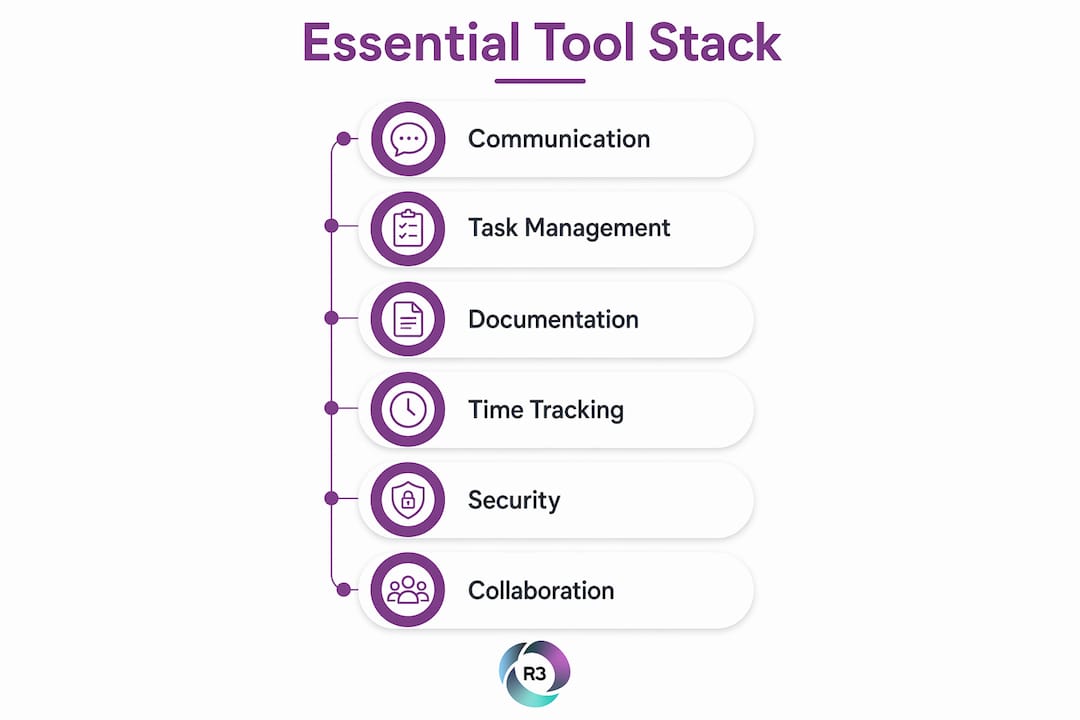
Remote assistant management tools fall into six clear categories. Each one solves a distinct problem, and skipping any category creates gaps that slow your team down.
Communication platforms handle real-time and asynchronous messaging. Tools like Slack give your assistant a direct line to you without flooding your inbox.
Project and task management platforms track assignments, deadlines, and progress. ClickUp and Asana both offer multiple views, status tracking, and time zone awareness, which are features the best remote project management tools for 2026 consistently share.
Documentation and wikis store your standard operating procedures, onboarding materials, and decisions in one place. Notion combines wikis, project docs, and databases in a single workspace, making it the go-to choice for remote teams that need a reliable knowledge base.
Time tracking tools like Toggl Track give you accurate records of hours worked without requiring invasive screen monitoring.
Password and security management tools like 1Password let you share account access with your assistant safely, without exposing actual credentials.
Video conferencing platforms like Zoom handle synchronous check-ins, onboarding calls, and complex decisions that need real-time discussion.
A minimum viable tool stack covering tasks, time tracking, documentation, and security can cost under $30 per month using entry-level or free tier plans. That price point removes the excuse of cost as a barrier to building a proper system.
Pro Tip: Start with free tiers across all six categories before paying for anything. Most tools offer enough functionality at no cost to prove whether they fit your workflow.
How do you build a cohesive remote assistant management system?
Choosing individual tools is only half the job. The real work is making them work together so your assistant always knows where to look and what to do next.

Criteria for selecting your tools
Four factors determine whether a tool earns a place in your stack.
Integration capability. Your task manager should connect to your communication platform. When a task is updated in ClickUp, your assistant should see a notification in Slack without you manually sending one.
Ease of use. A tool your assistant avoids using is worse than no tool at all. Prioritize platforms with short learning curves and clear interfaces.
Feature coverage. One tool that covers three needs beats three tools that each cover one. Notion, for example, replaces separate wiki, notes, and database apps.
Cost efficiency. The essential remote work stack of Slack, Notion, ClickUp, Zoom, and Loom runs from $0 to $30 per user per month depending on plan tiers. That range is achievable for most small businesses.
Avoiding tool sprawl
Tool sprawl happens when you add software faster than your team can adopt it. Each new tool creates a new place your assistant has to check, which fragments attention and increases the chance of missed tasks. The fix is a deliberate rule: no new tool enters the stack unless it replaces an existing one or solves a documented gap.
Pro Tip: Map out your current workflow on paper before choosing any software. Identify where tasks get dropped or communication breaks down. Then select tools that fix those specific gaps.
Category | Recommended function | Example tools |
Communication | Real-time and async messaging | Slack, Microsoft Teams |
Task management | Assignment, deadlines, status tracking | ClickUp, Asana |
Documentation | SOPs, wikis, decisions | Notion |
Time tracking | Hours logged, project time | Toggl Track |
Security | Shared credential management | 1Password |
Video | Synchronous calls, async video | Zoom, Loom |
How do you set up and use tools to manage your remote assistant daily?
Setup done right means your assistant can start working on day one without asking you where anything lives. Follow this sequence.
Provision access before the first day. Create accounts for your assistant in every tool before onboarding begins. Use 1Password to share credentials securely. A solid virtual assistant onboarding checklist covers access, tool walkthroughs, and documentation review in the first week.
Build your documentation hub first. Create a Notion workspace with sections for SOPs, active projects, and a decisions log. Managing remote assistants is primarily an exercise in documentation, not surveillance. A single source of truth prevents the “I didn’t know” problem before it starts.
Connect your task manager to your communication platform. Set up notifications so task updates in ClickUp or Asana appear in Slack. This keeps your assistant informed without requiring a separate status message from you.
Establish a daily async update routine. Ask your assistant to post a brief written update each morning covering what they completed, what they are working on, and any blockers. Replacing synchronous status updates with async written reports increases visibility and reduces meeting fatigue, especially across time zones.
Schedule structured check-ins with clear agendas. Start with brief daily check-ins, then shift to weekly one-on-ones focused on deliverables and blockers once your assistant is fully onboarded.
“The most effective remote assistant management hinges on creating a single source of truth where all tasks, decisions, and processes are thoroughly documented, eliminating reliance on surveillance or invasive tracking.”
Common mistakes to avoid once your system is running:
Storing decisions in chat instead of your documentation hub. Chat messages disappear into history. Decisions belong in Notion.
Assigning tasks verbally on video calls without logging them in your task manager. If it is not in ClickUp or Asana, it does not exist.
Skipping time tracking because you trust your assistant. Time tracking data helps you spot workload imbalances and plan capacity, not catch people slacking.
How does communication culture affect remote assistant performance?
The right tools do not guarantee good communication. The rules you set for how those tools are used matter just as much as the software itself.
Establishing clear rules for when to use each communication channel is the highest-leverage behavior for reducing overhead. A practical framework looks like this:
Slack for questions that need a response within four hours
Notion or a shared doc for permanent knowledge, decisions, and process updates
Zoom for complex decisions that require real-time discussion
Loom for walkthroughs, feedback, or updates that would otherwise require a meeting
Async video messages via Loom can replace a significant number of unnecessary meetings. A two-minute Loom recording explaining a new process is clearer than a Slack thread and faster than scheduling a call.
Async-first does not mean you never meet. Remote teams also benefit from intentional social interactions via video calls to build trust. Optional virtual coffee chats or brief social calls give your assistant a sense of connection that makes async collaboration easier. Trust is the foundation that makes every tool in your stack work better.
Pro Tip: Send a Loom video instead of a long Slack message whenever you need to explain something with context. It saves time for both of you and reduces back-and-forth questions.
Good virtual assistant integration also requires you to keep your documentation current. Outdated SOPs are worse than no SOPs because they send your assistant in the wrong direction with confidence. Schedule a monthly documentation review as a recurring task in your project manager.
Key Takeaways
The most effective system for managing remote assistants combines a lean, integrated tool stack with explicit communication rules and a single documented source of truth.
Point | Details |
Six tool categories cover every need | Communication, task management, docs, time tracking, security, and video each solve a distinct gap. |
A full stack costs under $30 per month | Entry-level and free tier plans across ClickUp, Toggl Track, 1Password, and Notion cover all core functions. |
Documentation beats surveillance | A single source of truth for SOPs and decisions prevents repeated questions and missed expectations. |
Communication rules matter more than software | Defining when to use Slack, docs, or video reduces overhead more than switching to better tools. |
Async updates replace most meetings | Daily written reports and Loom videos give you visibility without scheduling calls across time zones. |
What I have learned from managing remote assistants with these tools
The biggest mistake I see business owners make is buying tools before defining their process. They sign up for five platforms in the first week, overwhelm their assistant with logins and notifications, and then blame the tools when nothing improves. The tools are not the problem. The missing process is.
The second mistake is treating documentation as a one-time setup task. Your SOPs need to evolve as your business changes. I have seen teams lose weeks of productivity because an assistant followed an outdated process that nobody had updated in six months. A monthly documentation review is not optional. It is the maintenance your system requires to keep running.
Start with the smallest stack that covers your six core categories. Use it for 60 days before adding anything new. Collect feedback from your assistant on what slows them down. Then make targeted changes based on that feedback, not based on what a new tool promises. The teams that get the most from their remote assistants are not the ones with the most tools. They are the ones with the clearest systems.
— Ellis
R3source assistants are ready to work inside your system
R3source trains every virtual assistant to work within the tool stacks and communication protocols described in this guide. From day one, your assistant arrives familiar with platforms like Slack, Notion, ClickUp, and Loom, and ready to follow your documented workflows.
R3source handles the sourcing, vetting, and onboarding so you can focus on running your business. Each assistant integrates directly into your operations, follows your SOPs, and delivers consistent output without the overhead of managing a local hire. If you are ready to build a reliable remote team backed by proven systems, explore offshore virtual assistant services from R3source and see how quickly your capacity for growth expands.
FAQ
What are the best tools for managing remote assistants?
The most effective stack combines Slack for messaging, ClickUp or Asana for task management, Notion for documentation, Toggl Track for time tracking, 1Password for security, and Zoom or Loom for video. This covers all six core categories a remote assistant management system requires.
How much does a remote assistant management tool stack cost?
A full stack covering tasks, documentation, time tracking, and security costs under $30 per month using entry-level or free tier plans across tools like ClickUp, Notion, Toggl Track, and 1Password.
How do you manage a virtual assistant without micromanaging?
Build a single source of truth in a documentation platform like Notion, assign tasks through a project manager like ClickUp, and replace status meetings with daily async written updates. This gives you full visibility without constant check-ins.
What communication rules should I set for my remote assistant?
Use Slack for questions needing a response within four hours, shared documents for permanent decisions and SOPs, and Zoom for complex discussions. Loom works well for walkthroughs that would otherwise require a scheduled call.
How do I onboard a remote assistant to new tools quickly?
Provision all accounts before the first day, walk through each tool via a recorded Loom video, and provide written SOPs in your documentation hub. A structured onboarding checklist reduces ramp-up time and sets clear expectations from the start.
Recommended
Comments