

Compliance First Legal Virtual Assistant Tasks for Law Firms (30/60/90 Plan)


A legal virtual assistant handles intake, calendaring, inbox triage, document formatting, research summaries, e-filing support, and billing assistance, while attorneys retain responsibility for substantive legal judgment. ABA Model Rule 5.3 requires you to supervise that work directly. Delegate correctly, and you reclaim hours every week without adding risk to your practice.
TL;DR:
Delegating client intake, calendar management, and document formatting is safe when tasks are clearly defined and supervised through written procedures.
Tasks involving legal judgment, such as providing legal advice or final review of pleadings, require attorney oversight before completion or sending.
Building a structured onboarding process with supervision agreements, standard procedures, and a supervision log ensures compliance with ABA Model Rule 5.3.
Using role-based permissions, encrypted portals, and multi-factor authentication protects privileged information when granting remote VA access.
Managed staffing arrangements with ongoing quality checks provide more reliable support than ad-hoc freelancers, reducing risk and ensuring consistency.
Table of Contents
What Legal Virtual Assistant Tasks Can You Delegate Today?
The right legal virtual assistant tasks are the ones that eat your calendar without requiring a law degree to complete. Most firms underuse their support staff because they never mapped out exactly what’s safe to hand off. Here’s a working list, grouped by function, drawn from how virtual legal assistants actually operate inside U.S. firms today.
Client intake and conflict checks. Collecting new client information and running preliminary conflict searches before a partner reviews the file.
Calendar, docketing, and deadline tracking. Maintaining court dates, statute-of-limitations alerts, and internal review deadlines.
Inbox triage and client communications. Sorting priority emails, drafting routine status updates, and flagging anything that needs attorney input.
Document drafting and formatting. Building pleadings, letters, and contracts from approved templates, then formatting for court or client delivery.
Legal research summaries and brief support. Pulling case citations and organizing research memos an attorney will verify.
E-filing and court-portal assistance. Preparing and submitting filings under supervision once trained on a court’s specific portal.
Discovery organization. Indexing documents, tracking production logs, and building deposition summaries.
Billing, invoicing, and trust accounting support. Entering time, generating invoices, and reconciling ledgers, always under attorney review for trust account movements.
CRM updates and lead follow-up. Keeping client records current and following up on new inquiries.
Bilingual intake. Supporting non-English-speaking clients during first contact.
Marketing support. Managing social posts, newsletters, or intake form updates.
Deposition and hearing prep logistics. Scheduling court reporters, organizing exhibit binders, and confirming witness availability.
Which Tasks Require Attorney Supervision?
Delegation only works when the boundary between administrative support and legal judgment stays sharp. A legal virtual assistant can format a demand letter; only you can decide what it says about liability. That distinction is where unauthorized-practice-of-law complaints usually start.
Safe to delegate without line-by-line review:
Scheduling, docketing, and calendar maintenance
Data entry into practice management systems
Formatting documents from an approved template
Organizing discovery and building indexes
Requires attorney review before it leaves the office:
Any client communication that gives legal advice or interprets a document’s meaning
Legal research conclusions, not just citation gathering
Settlement figures, strategy notes, or anything touching case value
Final review of pleadings before filing
Escalation should be automatic, not optional. Build the trigger into the task brief itself: “Draft this; do not send. Flag anything unclear rather than guessing.” That single instruction prevents most UPL exposure before it starts.
Pro Tip: Write task briefs in terms of output format, not legal outcome. “Summarize these five depositions into a two-page chronology” is safe. “Tell me which deposition helps our case” crosses into legal judgment.
How Do You Onboard a Legal VA Under ABA Rule 5.3?
ABA Model Rule 5.3 requires supervising lawyers to take reasonable measures ensuring nonlawyer assistants’ work meets professional obligations. That means documentation, not just good intentions, when a state bar comes asking questions.
Build these four items before your legal virtual assistant touches a real file:
A written supervision agreement naming the responsible attorney and defining review frequency.
Standard operating procedures covering exactly when the VA must stop and escalate.
A signed NDA protecting client confidentiality from day one.
A supervision log recording what was reviewed, when, and by whom.
Stage the review cadence in 30/60/90-day blocks: daily check-ins during week one, weekly audits through the first month, then spaced reviews once accuracy holds steady. Firms that implement structured workflows and the right tech stack see administrative workload drop by roughly 20 to 40 percent, but only after this documentation is in place. Skipping it to save a week of setup time is the most common mistake new adopters make.
What Security Controls Protect Privileged Information?
Granting remote access to case files means privilege is now your responsibility to defend, not just assume. Never hand a legal virtual assistant your own login. Every platform should use restricted, role-based profiles instead.
Set up matter-level permissions in Clio or MyCase so a VA sees only assigned files, not the full client roster.
Require a password vault like Bitwarden paired with multi-factor authentication for every credential, no exceptions.
Route document sharing through encrypted client portals, never plain email attachments.
Treat e-filing access as earned, not default. Run supervised test filings before letting a VA submit anything to a live docket.
A cybersecurity guide built for legal teams is worth reviewing alongside your onboarding checklist, since most breaches trace back to shared logins rather than sophisticated attacks.
Building a Delegation Workflow That Actually Sticks
A task handed off by email disappears into a black hole. A task assigned through a template with clear fields gets done right the first time. That’s the entire difference between firms that scale VA support and firms that quietly quit after one bad experience.
Your task brief should specify: the deliverable, the format, the deadline, the file location, and the exact escalation trigger. Feed those into a task-management platform rather than a Slack thread, so every request leaves an audit trail.
Require a daily summary from your VA covering what was completed and what’s pending.
Sample-review at least 20% of completed tasks weekly during the first 90 days.
Track simple KPIs: turnaround time, error rate on formatting, and escalation accuracy.
Pro Tip: Ask your VA to flag their own uncertainty in every daily summary. A VA who says “I wasn’t sure about paragraph three” is more valuable than one who guesses silently.
What Should You Budget for a Legal Virtual Assistant?
Pricing depends heavily on experience level and whether you’re hiring hourly or through a managed staffing arrangement. Entry-level administrative support typically runs lower than a VA trained specifically in legal workflows and e-filing systems.
Hourly freelance rates vary widely and carry no continuity guarantee if that person leaves.
Managed staffing packages bundle backup coverage, quality assurance, and training into a predictable monthly cost.
Onboarding milestones generally track the 30/60/90-day model: basic tasks and daily check-ins in month one, expanded duties with weekly audits in month two, and full competency validation by month three.
Firms using structured onboarding and the right platforms report measurable efficiency gains within that same window, which is why the staging matters more than the hourly rate you start with.
Why Managed Staff Beats Ad-Hoc Freelance Support
Supervision under Rule 5.3 gets harder, not easier, when your support staff changes every few months. An ad-hoc freelancer who leaves mid-case forces you to rebuild trust and retraining from scratch. Managed remote staffing arrangements reduce that friction by building backup coverage and quality assurance directly into the engagement, so one person’s absence doesn’t stall a filing deadline.
The right model reflects dedicated staff trained on specific workflows, with structured onboarding and ongoing quality checks built in rather than left to chance. In practice, that means daily calendar maintenance, inbox triage, document formatting, and CRM updates happen consistently, avoiding re-explaining systems to new freelancers frequently.
How Legal VA Tasks Differ by Practice Area
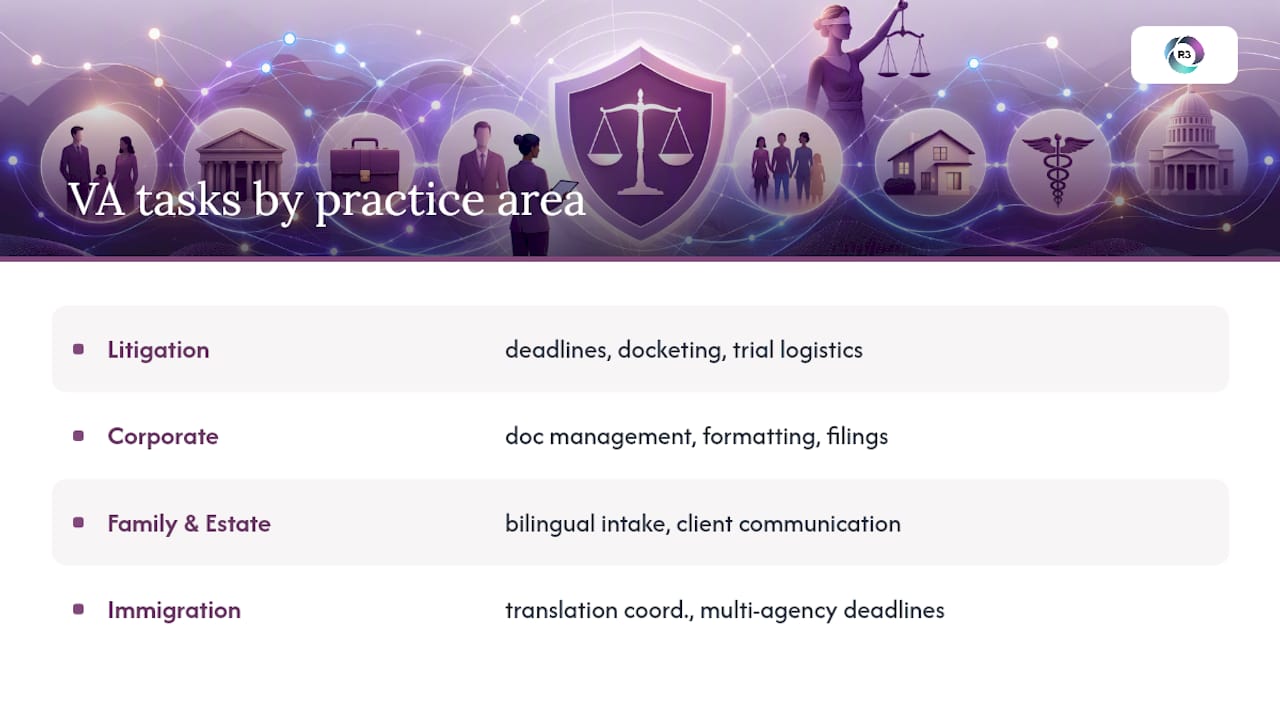
A litigation practice and a corporate transactional practice lean on legal virtual assistant tasks in noticeably different ways, even though the underlying skills overlap.
Litigation support tends to center on deadlines and volume. A VA here manages docketing across multiple courts, organizes discovery productions, builds deposition summary chronologies, and coordinates exhibit preparation before hearings. Trial prep logistics, like confirming witness availability and assembling binders, fall squarely into administrative territory a well-trained VA can own with minimal daily input.
Corporate and transactional practices shift the emphasis toward document management and precision formatting. A VA supporting this work might maintain closing checklists, format and redline contract drafts against a template, track entity filings across states, and manage due diligence document indexes ahead of a transaction. The margin for formatting error is thinner here, since a misplaced clause reference in a contract carries different consequences than a typo in a scheduling email.
Family law and estate practices often lean on bilingual intake and heavy client communication support, given how emotionally loaded initial consultations tend to be. Immigration practices frequently need document translation coordination and detailed filing-deadline tracking across multiple agency timelines.
The common thread across every practice area: the VA owns structure and volume, while the attorney owns judgment. Get that split right for your specific practice, and the delegation model holds up regardless of specialty.
The Real Bottleneck Isn’t Delegation, It’s Documentation
The conventional advice on legal virtual assistants focuses almost entirely on what to delegate. That’s the easy half. The harder, more consequential half is documentation, and most firms treat it as an afterthought rather than the thing that actually protects them.
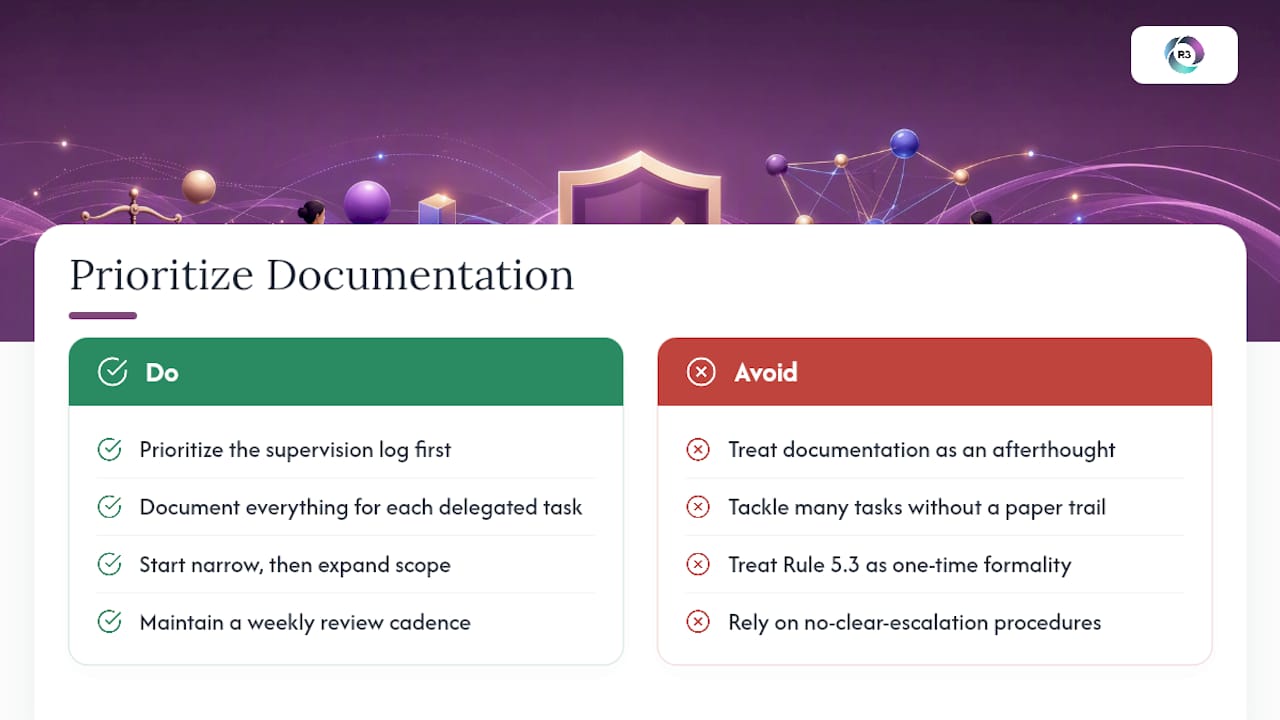
Here’s what the evidence in this guide actually supports: firms that fail with virtual assistants rarely fail because the VA made a legal judgment call. They fail because there was no written supervision agreement, no log of what got reviewed, and no clear escalation trigger, so when something did go wrong, there was nothing to point to. Rule 5.3 compliance isn’t a formality you complete once. It’s a habit you maintain weekly.
If you take one thing from this guide, prioritize the supervision log before you prioritize the task list. A firm with three delegated tasks and airtight documentation is in a stronger position than a firm with fifteen delegated tasks and no paper trail. Start narrow, document everything, and expand scope only once your review cadence proves the system works.
— Ellis
How R3source Supports Compliance-Ready Legal Staffing
R3source is the alternative to piecing together freelance VA coverage one hire at a time. Instead of managing a rotating cast of contractors, you get a dedicated, trained team member integrated into your firm’s workflows, backed by structured onboarding and consistent oversight from day one.
That matters most in a legal practice, where continuity directly affects whether you can document supervision the way Rule 5.3 expects. R3source staff are onboarded with your specific SOPs in mind, covering intake, calendaring, document formatting, and CRM management, and paired with backup coverage so a single absence never stalls a filing deadline. If you’re ready to see whether a dedicated legal virtual assistant fits your practice, book an introductory consultation or explore offshore virtual assistant services built specifically for firms that need reliable, long-term support.
Sources
Review the ABA’s Model Rule 5.3 directly before drafting your supervision agreement. The ABA’s legal technology resources cover platform selection in more depth, and firms handling trust accounts should read Parr & Ibarra’s guide to IOLTA compliance before delegating any billing tasks.
Recommended
Comments