

How Virtual Staff Handles Client Communication in 2026


Virtual staff handle client communication by taking full ownership of inbox triage, scheduling, follow-ups, and status updates, so your senior team can focus on work that actually moves the business forward. A customer communication virtual assistant manages the entire communication layer between your business and its clients, using standardized templates, defined escalation paths, and clear channel protocols to keep every interaction consistent and on time.
Here is what a well-trained virtual assistant handles day to day:
Inbox management: Sorting, labeling, and prioritizing incoming messages so nothing urgent gets buried
Response drafting: Sending routine replies using approved templates and flagging complex matters for your review
Follow-up tracking: Monitoring outstanding items and sending reminders before deadlines slip
Meeting scheduling: Coordinating availability, sending calendar invites, and managing reschedules
Status updates: Sending regular project progress reports to keep clients informed without requiring a call
Contact management: Keeping CRM records accurate and up to date across every client account
The coordination piece is often underestimated. Your virtual assistant also routes relevant client updates to internal team members, so creative, production, and account teams all work from the same information. That internal distribution function alone eliminates a category of miscommunication that costs hours every week.
Pro Tip: Set up a weekly Friday async status report for every active client. Clients who receive consistent, predictable updates stop sending “just checking in” emails, which frees your VA to focus on higher-value outreach instead of reactive replies.

Common client communication challenges that virtual assistants resolve
Most client communication problems share a root cause: no one owns the process. When messages arrive across email, Slack, text, and phone simultaneously, requests fall through the cracks, response times become unpredictable, and clients lose confidence. Virtual assistants fix this by becoming the single accountable party for communication flow.
The most common challenges, and how virtual staff address them:
Multiple channels, missed messages: VAs establish a defined channel hierarchy, so clients know exactly where to send what type of request, and nothing gets lost across platforms
Inconsistent messaging: When several team members respond to the same client, the client hears different things. A VA acts as the single point of contact, filtering and translating between internal teams and the client, which reduces client confusion and builds trust
Slow follow-ups: VAs track every open item and send reminders on schedule, replacing the informal “I’ll get to it when I have time” approach with a reliable system
Overloaded senior staff: Routine outreach, acknowledgment emails, and scheduling consume hours that your most experienced people should spend on delivery. Offloading those tasks to a VA restores that capacity
No escalation clarity: Without defined escalation paths, every message feels urgent. VAs apply a tiered system, handling routine items directly and surfacing only genuine blockers to leadership
Structured messaging guidelines that define channel purposes and response time expectations reduce internal follow-ups and misalignment significantly. One mid-sized firm cut internal follow-ups by 40% after implementing these guidelines across distributed teams.
Long-term benefits of using virtual staff for client communication
The operational gains from a dedicated communication VA compound over time. What starts as faster email response times grows into a measurable shift in client retention, team capacity, and business reputation.
Key long-term benefits:
Stronger client retention: Clients who receive consistent, timely updates feel valued. That reliability builds the kind of trust that leads to renewals and referrals
Faster project delivery: Teams with documented action items post-meetings complete projects 25% faster, according to Gallup research on workplace productivity
Reduced internal noise: When a VA owns routine outreach, your internal team stops fielding “any update?” messages and can protect focus time for actual delivery work
Scalable communication processes: A documented communication system run by a VA scales with your client roster. Adding clients does not mean adding proportional communication overhead to your senior staff
Better client satisfaction: Transparent, scheduled status reports replace the anxiety clients feel when they have no visibility into project progress. Clients who feel informed are easier to work with and more likely to expand their engagement
The shift from reactive to proactive communication is where the real value lives. Your VA does not just respond to clients. They anticipate what clients need to know and deliver it before the question gets asked.
Best practices for managing client communication with virtual staff
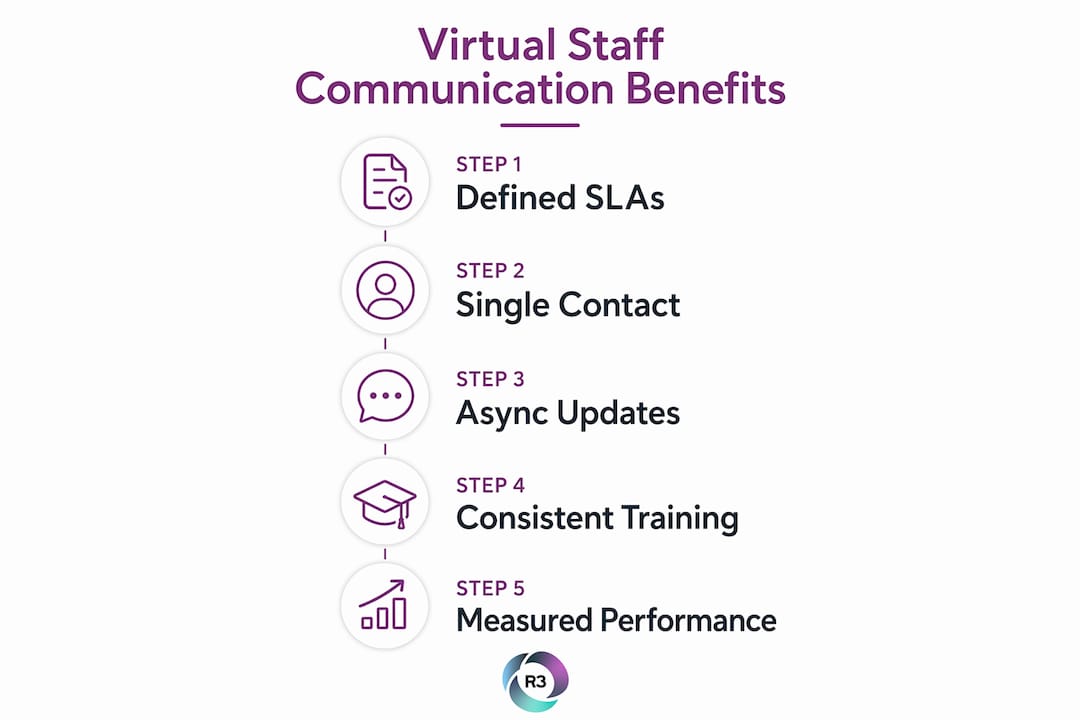
Getting the most from a remote staff client interaction system requires deliberate setup. The technology and the talent both matter, but the process design is what holds everything together.

Define channel purpose and response time SLAs
Every channel your business uses should have a documented purpose and a response time commitment. A practical framework used by agencies managing distributed teams:
Channel | Use case | Response SLA |
Formal approvals, contracts, scope changes | — | |
Slack | Quick questions, status checks | — |
Loom | Async walkthroughs, bug reports, demos | Same day |
Video call | Kickoffs, complex discussions | Pre-scheduled |
Phone/SMS | Emergencies only | Under 1 hour |
Writing response time agreements into your client contracts sets expectations before work begins and protects your VA from pressure to reply instantly to every message. Both sides know what to expect, and nobody feels ignored.
Assign one point of contact per client
When three people from your team email the same client, the client gets confused. Pick one person, typically your VA or a project manager, to own all external communication per client. Internal team members route updates through that person. The client always knows who to contact, and your VA always has full visibility into the relationship.
Replace status meetings with async updates
Replacing weekly status calls with written async reports improves consistency and client retention. A Friday status email with a fixed format, covering wins, decisions needed, risks, and next steps, gives clients predictable visibility without consuming anyone’s calendar. For complex updates, a short Loom video replaces a 500-word email and takes a fraction of the time to produce.
Major decisions should be pre-shared via a written document plus a Loom video at least 48 hours before any live discussion, so the meeting focuses on decisions rather than presentations.
Pro Tip: Cap real-time sync communication at 40% of the workweek and protect the rest as focus time. Your VA handles async updates during those blocks, and clients receive better-crafted responses than they would from a rushed live reply.
Train your VA on communication consistency and timezone awareness
Onboarding a virtual assistant for client communication goes beyond handing over a login. Effective training covers:
Messaging tone and templates: Approved language for routine replies, escalation language for sensitive situations
Timezone protocols: Every time reference in client messages includes the client’s timezone, eliminating scheduling confusion
Active listening in writing: Reading client messages for emotional tone, not just content, and responding in a way that acknowledges concerns before presenting solutions
Escalation triggers: Clear definitions of what your VA handles directly versus what requires your involvement, such as scope changes, budget discussions, or relationship-sensitive topics
For cross-cultural or international client bases, training should also address plain language defaults. Avoiding idioms and region-specific references prevents misunderstandings that erode trust over time.
Measure communication performance
Tracking a few key metrics tells you whether your client communication system is working. Response time against SLA, follow-up frequency from clients (a high rate signals your updates are not landing), and client satisfaction scores from post-project surveys all give you actionable data. Review these monthly with your VA and adjust templates or cadences based on what the numbers show.
Asynchronous communication tools built for remote teams make this measurement easier by centralizing message history and response timestamps in one place.
Key Takeaways
Virtual staff handle client communication most effectively when they own a documented process, not just a task list.
Point | Details |
Single point of contact | Assign one VA per client to eliminate confusion and maintain consistent messaging. |
Documented SLAs | Write response time commitments into contracts before work begins to set clear expectations. |
Async-first updates | Replace weekly status calls with structured Friday reports to improve retention and free calendar time. |
Faster project delivery | Teams with documented post-meeting action items complete projects 25% faster, per Gallup research. |
Measure and adjust | Track response times, follow-up frequency, and satisfaction scores monthly to refine your communication system. |
Ready to build a client communication system that works while you focus on growth?
R3source places trained virtual assistants from the Philippines directly into your business operations, including client communication, inbox management, scheduling, and follow-up coordination. Every R3source professional is onboarded to your specific workflows and communication standards, so your clients experience consistency from day one.
Book a free consultation to explore how a dedicated communication VA can reclaim your team’s time and strengthen your client relationships.
Recommended
Comments